
Custom Software vs SaaS vs Spreadsheets for Australian Operations Teams
Executive summary
There is no universal rule that says spreadsheets are primitive, SaaS is the default, and custom software is the most expensive option. The right choice depends on the workflow, the people who rely on it and the probable value-add from improving it.
Use a spreadsheet when the work is contained, flexible, relatively low-risk and can be governed reliably.
Use SaaS when the process is genuinely standard, the product fits the workflow well and changing the process creates value for stakeholders rather than simply making the organisation conform to a software product.
Examine focused custom software when the workflow is distinctive, high-value, difficult to represent in available products, dependent on organisation-specific business rules or integrations, or capable of releasing substantial value if improved. Custom software does not have to mean a large bespoke system. It may be a small integration, automation or a custom layer.
Use a deliberate combination when different parts of the organisation have different needs. The objective is not to minimise the number of tools. It is to ensure each tool has a clear role and contributes value without creating unnecessary duplication, manual bridging, or uncertainty about data and ownership.
Before choosing technology, identify the quick wins and value hotspots, estimate the current cost of the workflow, involve the people who actually perform and experience it, and apply five tests: uniqueness, pain of failure, workflow complexity, compliance and stakeholder obligations, and the difficulty and cost of change.
Finally, compare realistic options over the same workflow scope and time horizon. Look at the total cost of change and the likely value-add, not just the visible spreadsheet cost, SaaS subscription, or custom-build price.
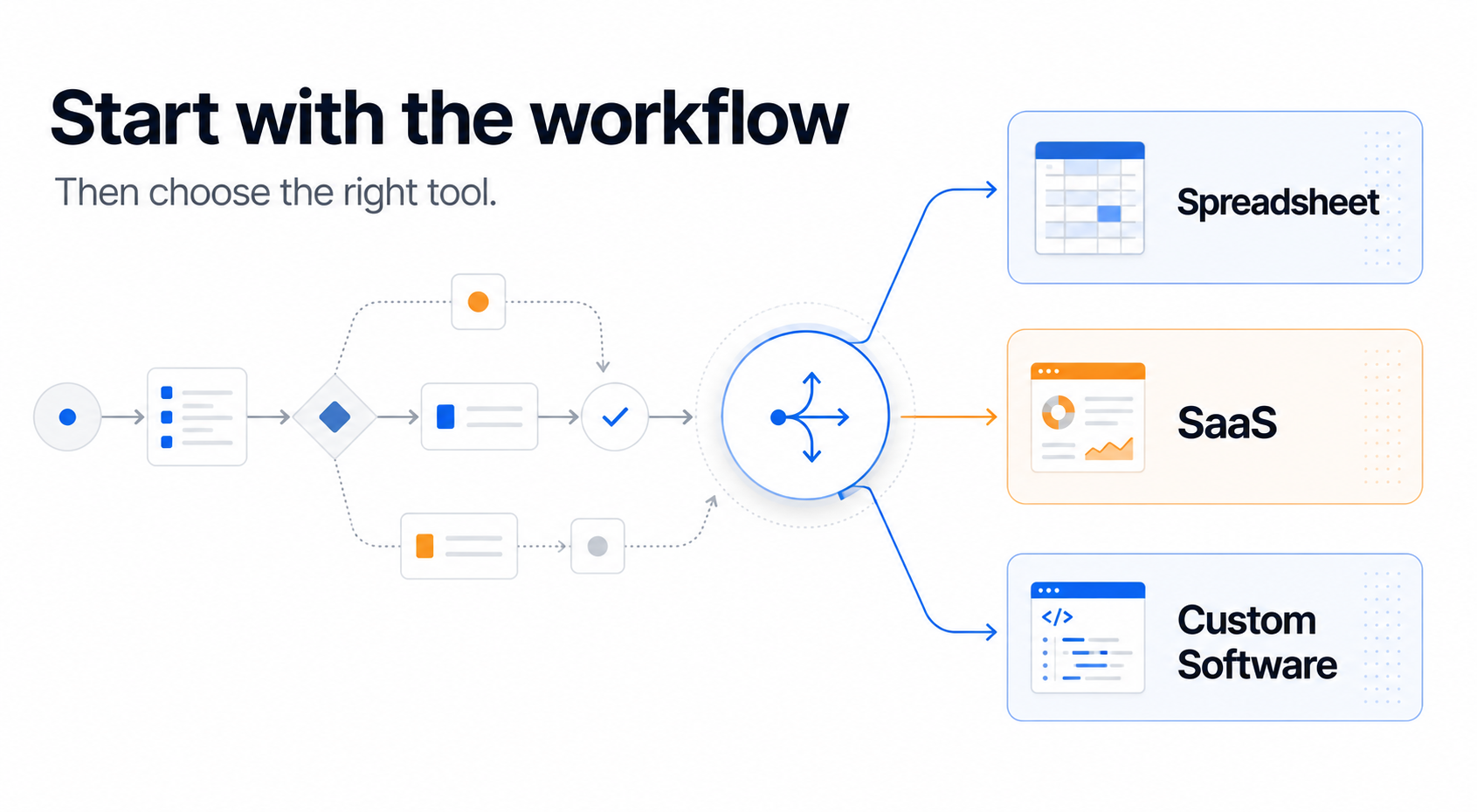
The software question is usually the wrong first question
Software discussions often begin after a process has already become painful.
A report takes several days to compile. Information is copied between systems. Approvals disappear into email chains, chat messages and SMS threads, or depend on somebody remembering a phone call. Stakeholder enquiries cannot be answered because 'the right person' is away, and they are the only person with the answer, or who knows where to find the answer. Employees build spreadsheets and other stopgaps around the official platform because the official process does not actually align with the steps needing to be performed.
Eventually, somebody asks:
Should we improve the spreadsheet, buy a SaaS platform or build custom software?
That sounds like a reasonable place to start, right? It usually isn’t.
The better questions are:
Why does this workflow exist, and what operational promises is it helping us keep?
Those promises might include giving management an accurate forecast, responding to a customer within an agreed period, maintaining a compliant record, coordinating a production schedule, keeping stakeholders informed or ensuring that the right information reaches the right person before a decision is made.
Technology matters, but it is just a means of keeping those promises.
The broad answer is:
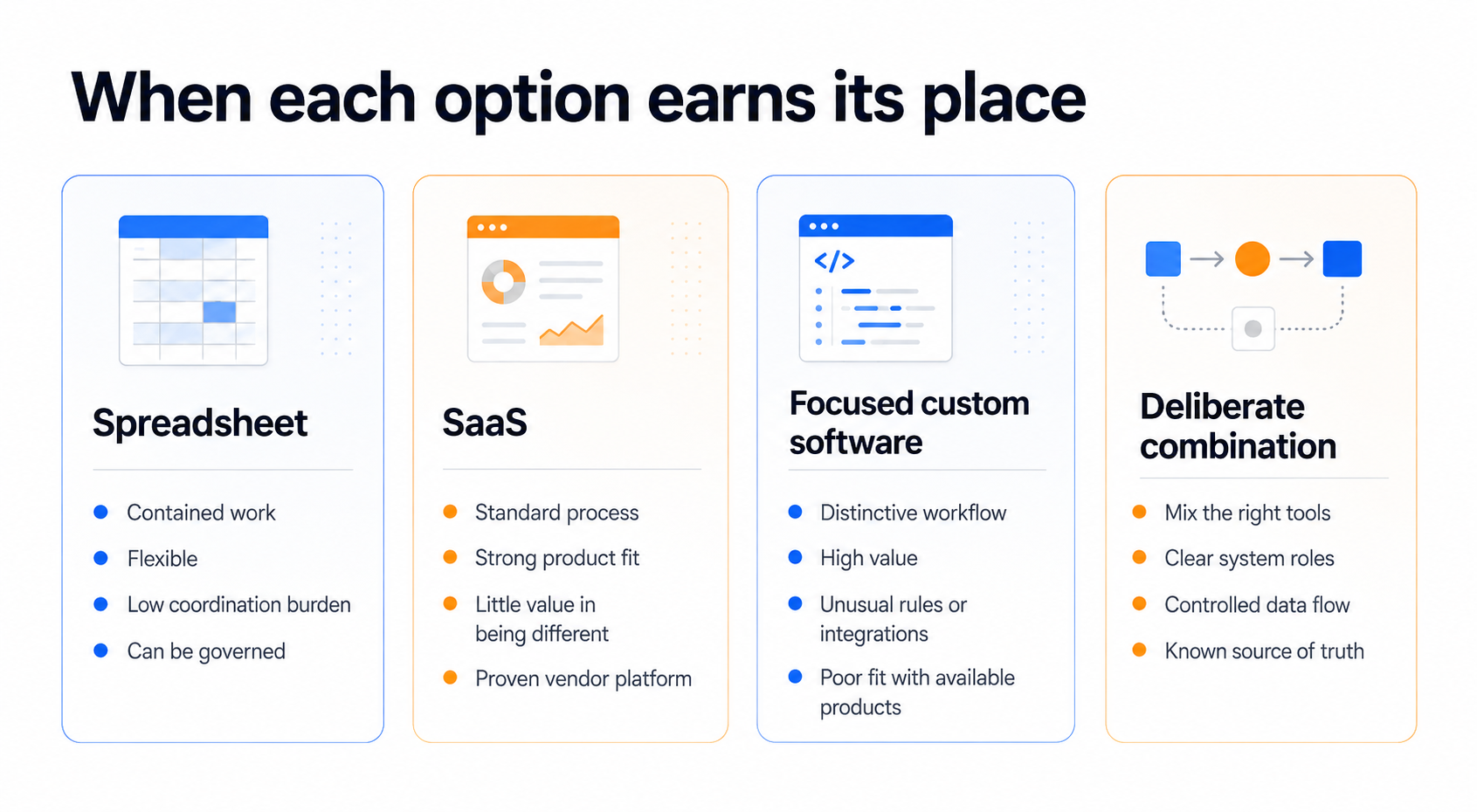
Spreadsheets suit contained, flexible and relatively low-risk work.
SaaS generally suits processes that are well understood and genuinely standard.
Custom software becomes appropriate when a valuable or distinctive workflow cannot be represented properly by available products.
A deliberate combination may be required where different parts of the operation have different needs.
The right decision therefore starts with the workflow, not the label attached to the software tool.
Find the quick wins and the value hotspots
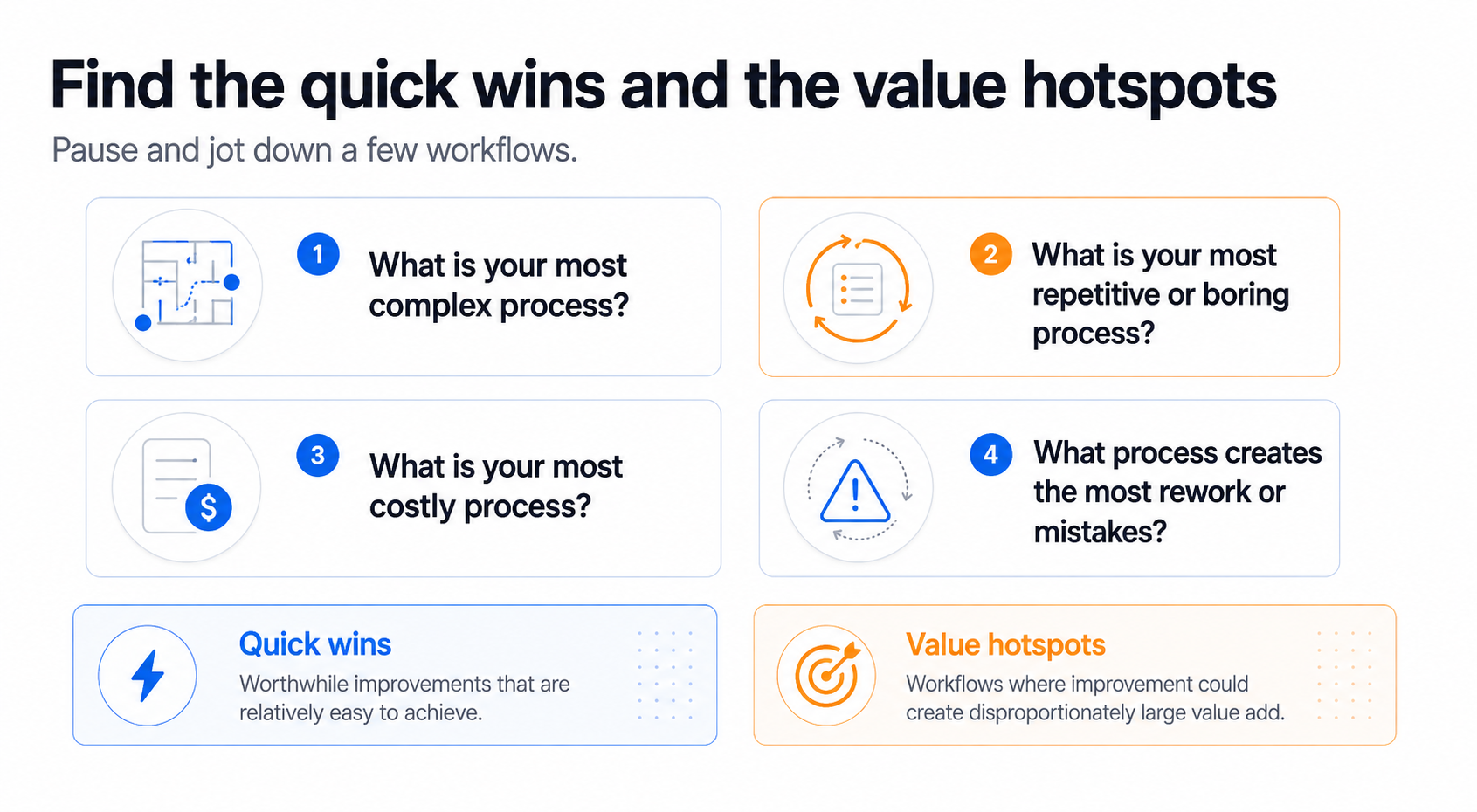
Before thinking about software, pause for a moment and jot down a few workflows that come to mind when you consider these four questions:
What is your most complex process?
What is your most repetitive or boring process?
What is your most costly process?
What process creates the most rework, frustration, or mistakes?
Don’t try to solve anything yet. Just make that short list and read on.
These questions look at the organisation from four different angles. A workflow can link to more than one of the subjects above, but it doesn't have to. The purpose is to surface problems and opportunities that might otherwise remain hidden.
Some of the items on your list may be quick wins, where meaningful improvement is relatively easy to achieve.
Others may be value hotspots, where improving one important workflow creates disproportionately large financial, customer, strategic or operational value.
Calculate the cost of leaving the workflow alone
Before comparing software options, put some rough numbers against one or two of the workflows on your shortlist. Do not chase precision. A simple weekly estimate is usually easiest, then extrapolate that for a month or a year.
For each workflow, jot down:
How many people are involved?
Roughly how many combined hours each week are spent performing it?
How often does it create rework, mistakes or duplicated effort?
Where do delays occur, and what do those delays affect?
Does it create external costs, lost throughput, missed opportunities or unnecessary management effort?
Even a rough weekly estimate starts to make the priorities visible. If several people are collectively spending significant time on a workflow every week, that effort can be really significant when you add up the cost. The same applies to recurring errors, delays and other avoidable costs.
This is not yet a business case. It is simply a quick way to understand whether the workflow is merely irritating, or if improving it will release meaningful value.
When spreadsheets remain the right answer
A spreadsheet is not automatically a temporary solution that every organisation should replace when they can. For the right workflow, it can be cheap, efficient and highly valuable.
Spreadsheets are particularly effective for quick analysis, contained calculations and storing modest amounts of important information where appropriate controls are in place. They are familiar, flexible and easy to change. They can also sit inside a broader workflow, with automation, reporting or other tools reading from or writing to them.
Problems usually begin when the workflow outgrows the spreadsheet, not when the spreadsheet itself is inherently wrong.
Warning signs include more people becoming involved, more hand-offs and approvals, growing data volumes, more exceptions, increased compliance requirements, or people needing reliable access to the same information at the same time.
At that point, the spreadsheet may still be useful, but it is probably time for the workflow to graduate to something more structured.
When SaaS is the right answer
SaaS is often the right answer when the workflow is genuinely standard, and there is little value in doing it differently. Payroll is an obvious example. Most organisations gain more from adopting a proven system than from inventing their own way of processing payroll.
The important test is not whether the software can technically perform the task. It is whether adopting it improves the workflow for the people who depend on that process.
You should change workflows within your operation because of the value to stakeholders, not to make your business fit somebody else's software.
If a SaaS product supports the outcome you need, provides the right controls and removes unnecessary effort without sacrificing something valuable, it can be a fast and efficient choice.
The warning sign is when the product is selected first, and a valuable workflow is then redesigned around the product's limitations. That may still be sensible if the resulting workflow is genuinely better. It is much harder to justify when the main reason for changing is because 'the new software does it that way'.
This distinction matters because a standard process is a good candidate for a standard software. A distinctive or high-value process deserves closer examination before you force it into somebody else's model.
When focused custom software is justified
Custom software does not have to mean commissioning some giant bespoke system from scratch. Sometimes it does mean a substantial build over a period of months, because the workflow is valuable enough to justify it. Just as often, the useful customisation is much smaller.
A focused solution might link data sources in a nuanced way, automate a handful of important activities, apply business rules that are specific to the organisation and are not represented in an off-the-shelf product, or move information between people and systems without requiring anyone to perform a manual step.
In some cases, the people using the workflow may barely notice that anything has changed. They simply get the outcome with less waiting, fewer mistakes and less repetitive work.
The development method is a separate decision. A custom outcome might be delivered using AI-assisted development, low-code tools, configuration of an extensible platform, customisation of commercial software, conventional full-stack development, or a combination. The objective is not to maximise the amount of bespoke technology. It is to use as much customisation as the workflow's value justifies.
Custom software becomes particularly worth examining when the workflow is distinctive, valuable to stakeholders, difficult to represent in available SaaS products, dependent on unique business rules or integrations, or capable of releasing substantial value if it works better.
Most organisations will use more than one approach
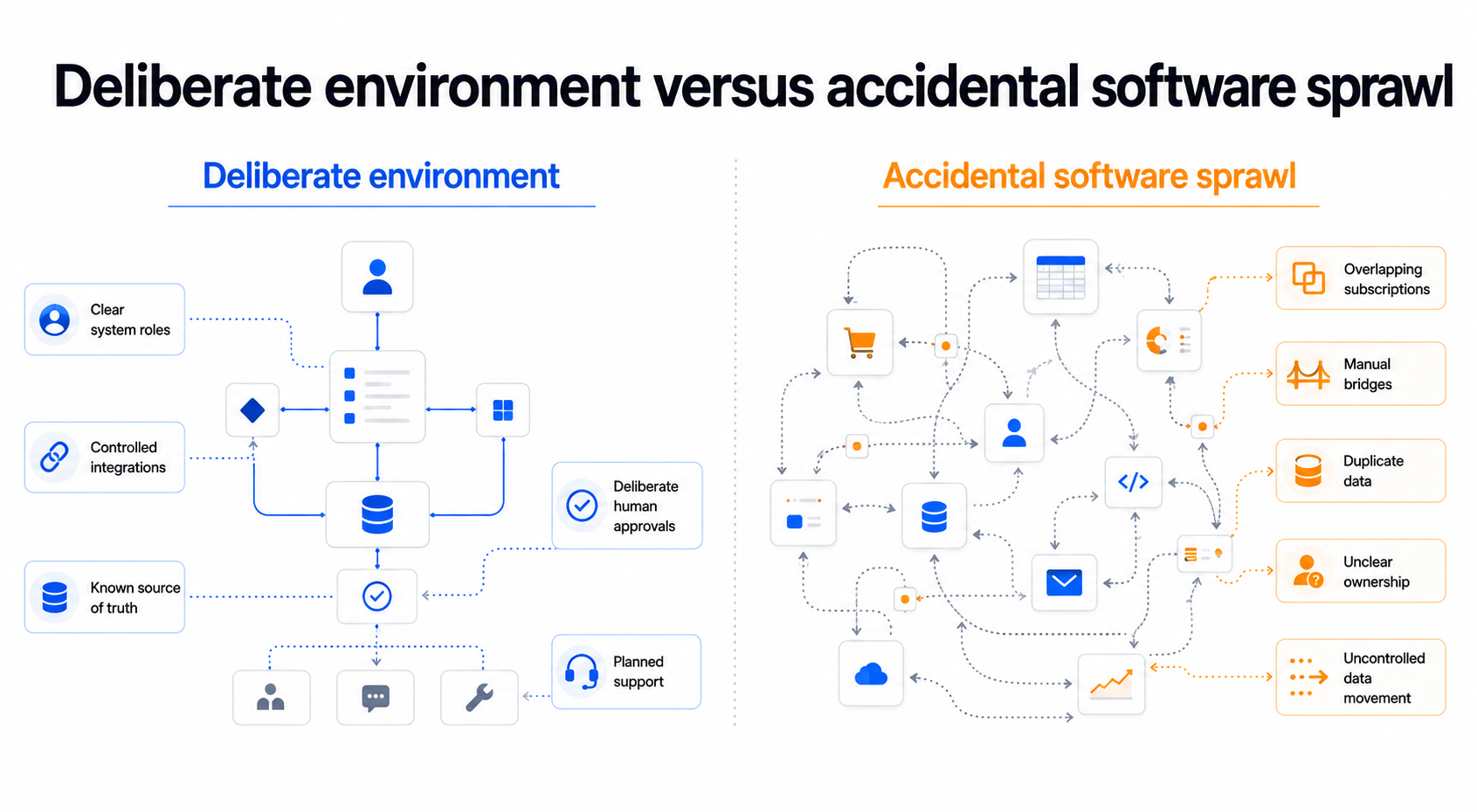
The aim is not to choose one technology philosophy for the whole organisation. A deliberate operating environment may use SaaS for standard processes, spreadsheets for contained analysis, custom solutions for distinctive or high-value workflows, and integrations to make those pieces work together.
That is very different from an accidental software sprawl.
A useful check is to look at the organisation's software subscriptions as a portfolio. Many teams are surprised by how many different providers are taking a recurring cut, how much capability overlaps, and how many places organisational or customer data may now be stored or copied without anyone maintaining a clear view of the whole environment.
Several tools can be perfectly sensible when each has a clear role. The warning signs are duplicated data, overlapping subscriptions, manual work to bridge systems, uncertainty about which source is authoritative, and poor visibility of where sensitive information is travelling and who can access it.
The objective is not fewer tools for the sake of fewer tools. It is a deliberate decision regarding which tools earn their place by contributing value to the workflow and its stakeholders.
Apply the five-test decision framework
Once you have identified a worthwhile workflow, use five questions to test which type of solution is most appropriate:
Is the process unique?
How painful is failure?
How complicated is the workflow?
What are the compliance obligations, and what is right for stakeholders?
How difficult and costly will change be?
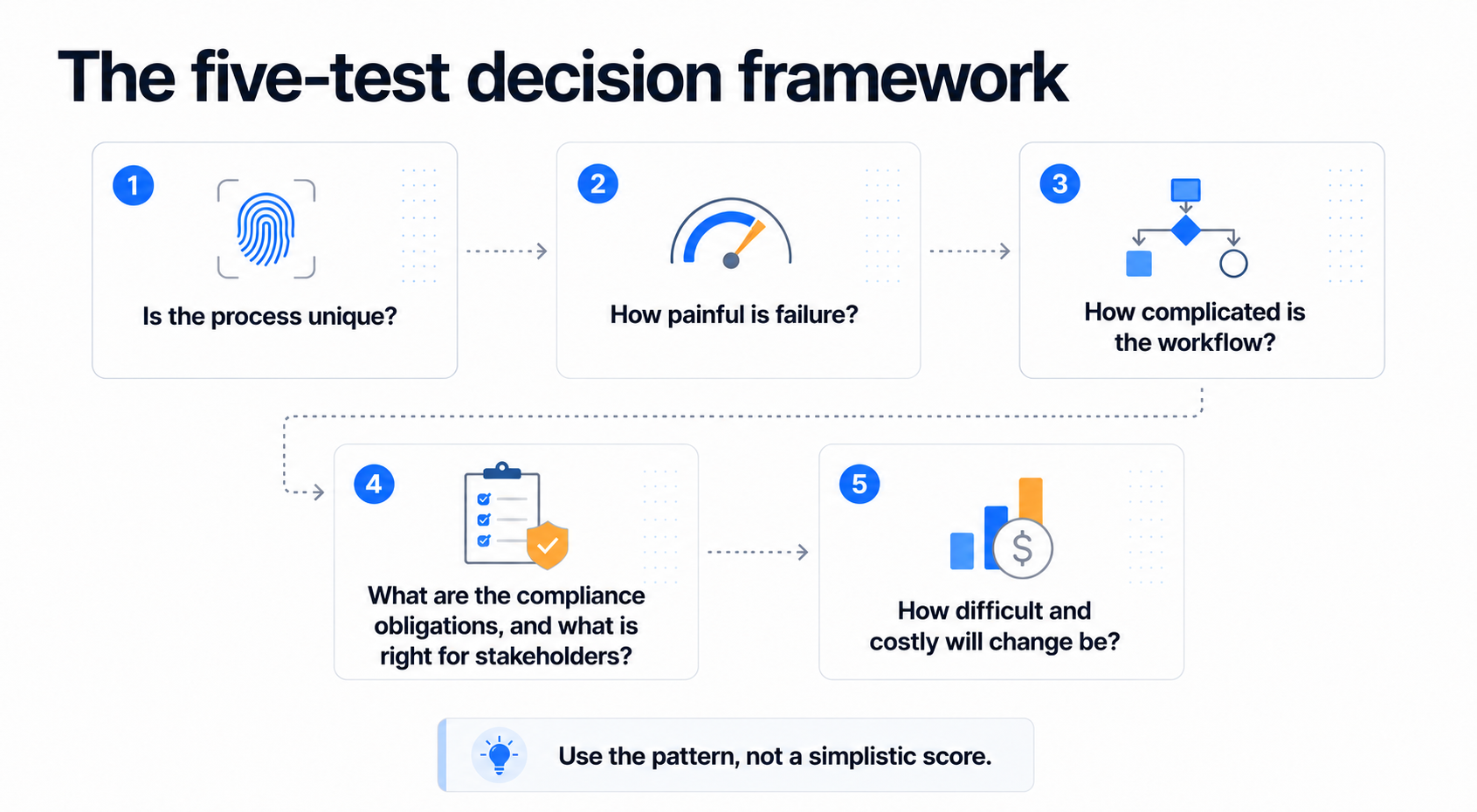
These questions are not a scoring system. Their purpose is to expose the characteristics of the workflow that matter to the decision.
A contained, low-risk and familiar process may still belong in a governed spreadsheet. A standard process with strong product fit may be better served by SaaS. A distinctive or high-value workflow with organisation-specific business rules, integrations or stakeholder requirements may justify a focused custom solution. Some workflows will point to a deliberate combination.
The framework narrows the choice. The final decision still needs to be tested against total cost, likely value-add and implementation effort.
Compare probable value, not software cost
Spreadsheet cost, SaaS subscription cost and custom build cost are not directly comparable on their own.
Each option carries different implementation, operating and change costs, and each can create a different type and level of value. A useful comparison therefore needs to look at the whole change, not just the software price tag.
Consider the complete cost of change, including process discovery, acquisition or build, integrations, migration, testing, training, internal effort, transition, ongoing ownership and eventual switching costs.
Then consider the probable benefits, including cash savings, labour capacity released, reduced rework and errors, better throughput, revenue or margin improvement, lower external spend, risk reduction, tool consolidation and strategic capability.
Keep those categories separate. Capacity released is valuable, but it is not the same as a cash saving. A faster workflow will likely create customer or revenue value, but won’t automatically reduce your employment costs.
Compare realistic options over the same workflow scope and time horizon, then ask whether the probable benefit justifies the total cost and the disruption required to achieve it.
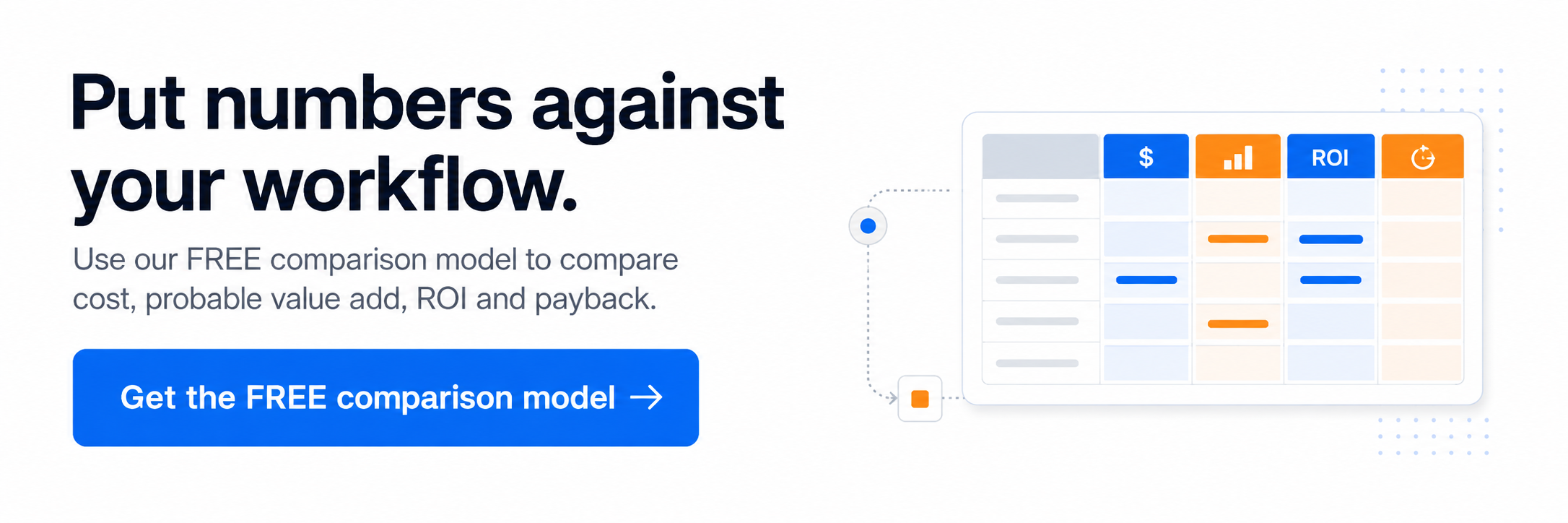
If you want to put numbers against your own workflow, use our FREE comparison model.
Brief the workflow before you brief the vendor
Do not move from 'we need better software' straight into vendor demos or development estimates. First, understand the workflow well enough to brief it in properly.
The E in Subject Matter Expert means something. Involve the people who actually perform, manage and experience the process. They know where work really happens, where exceptions occur, which unofficial workarounds keep things moving and what breaks when the process fails. Management assumptions and vendor assumptions are not substitutes for process-participant knowledge.
A useful workflow brief should describe:
The operational promise or outcome the workflow needs to deliver
How the workflow works today
Who participates in it and who depends on its outcome
Where delays, errors, repetition, rework and exceptions occur
Which systems and data sources are involved
Important controls, compliance, privacy and security requirements
What improvement would actually look like for stakeholders
What measurable baseline exists today
Important implementation and change constraints
This gives a SaaS provider, software developer or internal technology team a workflow brief rather than a shopping list of features. It also makes it easier to test whether a proposed solution improves the process itself rather than simply matching a vendor’s product capability.
Frequently asked questions
When should a business stop using spreadsheets?
A business should consider moving a workflow beyond a spreadsheet when the process becomes difficult to govern or coordinate reliably. Common signals include more participants, hand-offs and approvals, growing data volumes, more exceptions, increasing compliance requirements, duplicated data, or several people needing dependable access to the same information at the same time.
That does not necessarily mean eliminating the spreadsheet. It may remain useful for analysis, modelling, reporting or as one controlled component inside a broader workflow.
Is SaaS cheaper than custom software?
Not necessarily. The visible SaaS subscription and the visible custom build cost are not directly comparable on their own.
Compare the complete cost of each realistic option over the same workflow scope and time horizon. That includes implementation, configuration or development, integrations, migration, testing, training, internal effort (your people are not free), transition costs, ongoing subscriptions or maintenance, add-ons and eventual switching costs.
SaaS can be the cheaper and faster choice where the process is genuinely standard, and the product fits well. Focused custom software may create more value when the workflow is distinctive, high-value, or poorly represented by available products.
When is custom software worth the investment?
Custom software is worth examining when a workflow is valuable enough that improving it can justify the total cost and disruption of change, and available products cannot represent it properly.
Typical signals include organisation-specific business rules, particularly where those rules reflect how the organisation creates value or operates differently from competitors, important integrations, distinctive stakeholder requirements, high coordination complexity, or a measurable opportunity to reduce rework, release capacity, improve throughput, reduce risk or create revenue and margin value.
Custom does not have to mean a large bespoke system. A small integration, automation or custom layer may be enough to deliver the required outcome.
Can spreadsheets, SaaS and custom software be used together?
Yes. For many organisations, a deliberate combination is the most sensible architecture.
Spreadsheets can handle contained analysis and modelling. SaaS can support standard processes. Focused custom software can support distinctive or high-value workflows. Integrations can connect those components so information moves without unnecessary manual work.
The important distinction is between a deliberate combination and accidental software sprawl. Each tool should have a clear role and earn its place by contributing value to the workflow and its stakeholders.
How should an Australian business assess data privacy and security when choosing software?
Start by understanding what information the workflow handles, where it will be stored and processed, who can access it, which third parties or sub-processors may receive it, how long it is retained, how it can be deleted, and what controls exist for access, audit, backup, and incident response.
For organisations covered by the Australian Privacy Principles, APP 11 requires reasonable steps to protect personal information from misuse, interference, loss and unauthorised access, modification or disclosure. APP 8 also creates obligations around cross-border disclosure of personal information, so overseas recipients and sub-processors need to be understood, not treated as an invisible part of your software supply chain.
Data residency is therefore only part of the question. The more useful question is: where can our organisational and customer data travel, who can access it, and do we understand and control that sufficiently for this workflow?
How do you calculate the ROI of replacing or improving an operational workflow?
Start with the current workflow and establish a measurable baseline. Then calculate the complete cost of change, not just the software price.
Estimate benefits separately, including cash savings, labour capacity released, reduced rework and errors, better throughput, revenue or margin improvement, lower external spend, risk reduction, tool consolidation and strategic capability.
Do not double-count benefits, and do not treat released labour capacity as an automatic cash saving unless expenditure will actually fall. Compare realistic options over the same time horizon and adjust expected benefits for implementation risk and likely adoption.
Useful outputs can then include total cost of ownership, net benefit, ROI, payback period, benefit-cost multiple and capacity released.
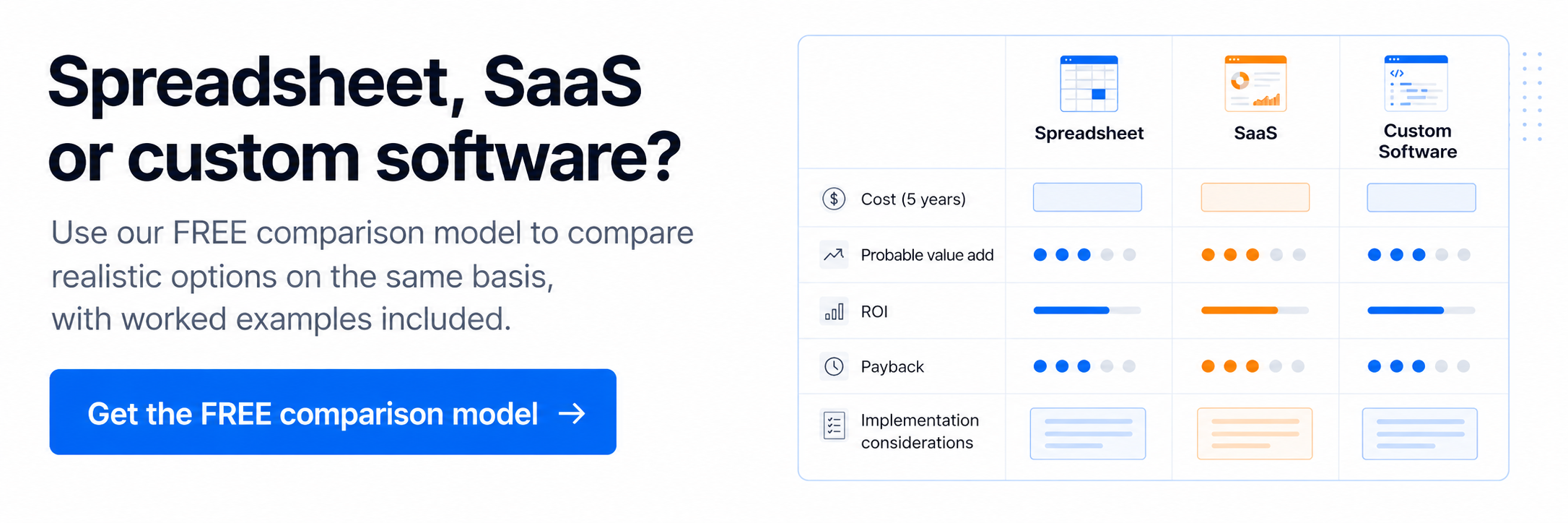
If you want to put numbers against your own workflow, use our FREE comparison model.
Start with one workflow, not a software category
The choice between spreadsheets, SaaS and custom software is not a technology ideology. It is a decision about the workflow, the people who depend on it, and the value that will be created by improving it.
Start with one worthwhile workflow from your shortlist. Understand the operational promise it needs to keep, involve the people who actually perform and experience the process, put some rough numbers against the current cost, and apply the five tests.
Then compare realistic options on the same basis: total cost of change, probable value add, implementation effort, governance requirements and the disruption required to get from today's process to the better one.
The answer may be a governed spreadsheet. It may be SaaS. It may be focused custom software or a deliberate combination of several tools. None of those outcomes is inherently more modern or more sophisticated than the others.
The objective is simple: change the workflow when doing so creates enough value for stakeholders to justify the change, and choose the technology that best supports that outcome.
Written by Jeff Anderson, Founder of Arrow Strategic Communications.
Jeff has been working on continuous improvement initiatives for organisations since 1999. He leads strategy, software delivery and workflow transformation initiatives across Australia, helping organisations improve how work gets done and select technology that supports better operational outcomes.
